
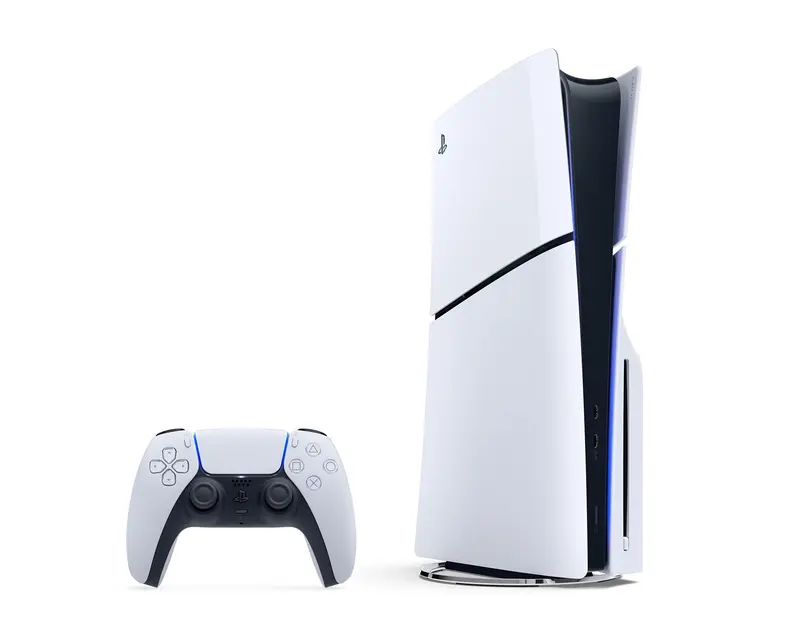
Playstation 5
Next-gen gaming fun with PlayStation 5 – perfect for your next game night.
You need to be at the locker to unlock it. The rental starts when the door closes.
About the item
Playstation 5
Enjoy next-level gaming with the PlayStation 5. With ultra-fast loading, stunning graphics, and a
new generation of exclusive games, this console is perfect for game nights with friends or solo
adventures.
What's included?
- PS5
- 2 Controllers
- HDMI Cable
- USB C cable
- Power cable
Included games
- Fortnite
- Brawlhalla
- Rocket League
- FC 25
How to use it
Playstation 5
-
Plug the power cable into the PS5 and a power outlet.
-
Connect the HDMI cable from the PS5 to your TV.
-
Turn on your TV and select the correct HDMI input.
-
Press the PlayStation button on the controller or the power button on the console.
-
If it doesn't connect automatically, plug the controller into the PS5 with the included
USB-C cable to sync it. -
You can log in to your PlayStation account or choose to play as a guest. Password for included Haralt account is 4444.
-
Some games may require an internet connection – connect to Wi-Fi if needed.
-
If the game is a disc, insert it into the console.
-
For digital games, find them in the main menu and press X to launch.
-
Use the controller to navigate and start your game. Connect with uncluded usb-c cable if it needs to be charged.
-
Hold the PlayStation button > Go to Power > Choose “Turn Off PS5”. Remember to log
out of your account if you played on you personal account. -
Pack everything neatly back into the bag/box: console, controller(s), cables, games.
Return it to the locker when you are done gaming.